iPhone & iPad · Now on the App Store
The games you'll
play someday.
You see a trailer, a friend recommends something, a sale flashes past — and three weeks later it's gone. Games Bucket List keeps every one of them in a single library: found, sorted and remembered before it disappears from memory.
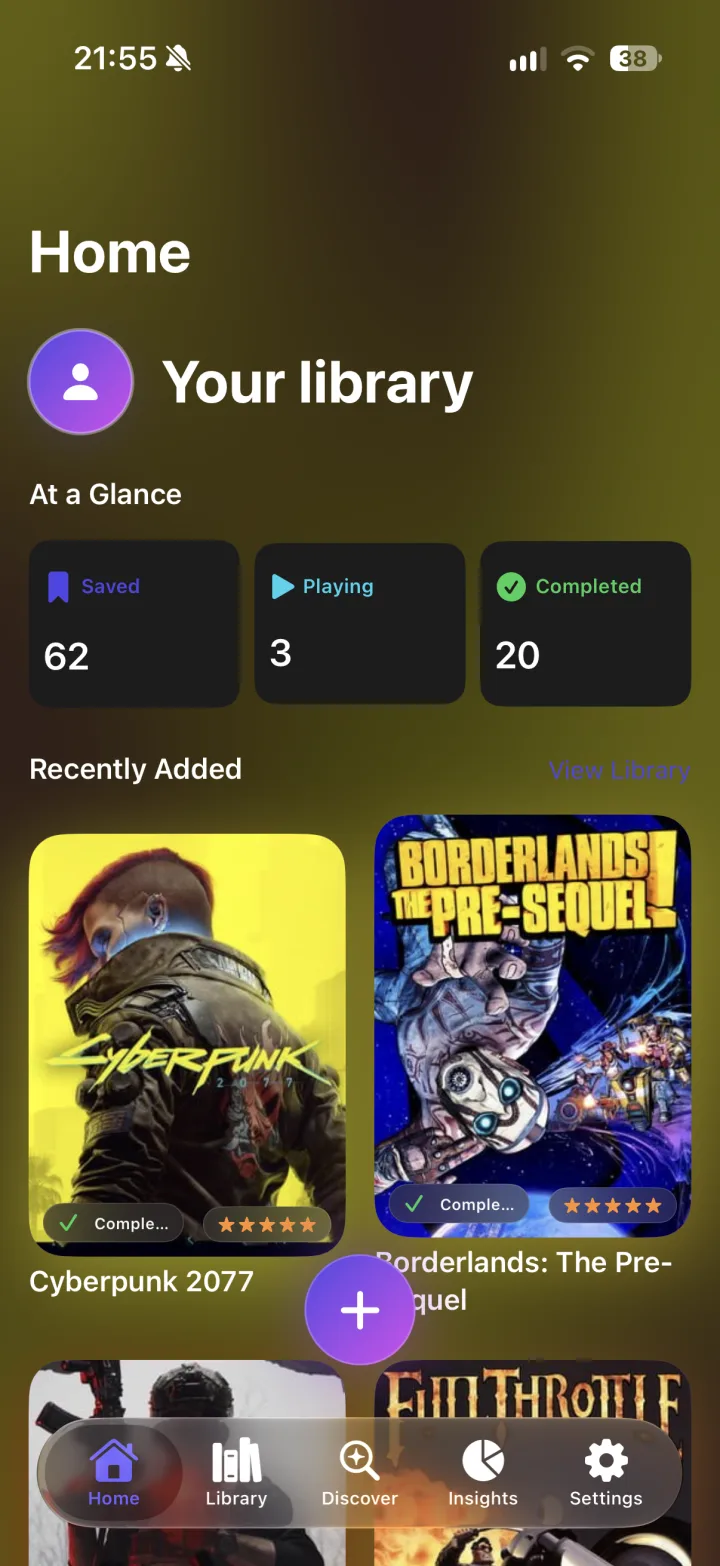
How it works
From “I should play that” to actually playing it.
Three steps, and none of them is “make an account”.
Capture it anywhere
Share a link or a bit of text from Safari, a video app or a group chat straight into your library — the share sheet does the rest. Prefer to type? Search the built-in game catalog by title.
Sort it your way
Planned, Playing, Completed, Paused or Dropped. Add a rating out of five, a note for later, and group games into lists for co-op nights, a holiday or your all-time favourites.
See the whole picture
Insights turns the library into something you can read at a glance: how your backlog is balanced, which genres and platforms you actually pick, and how you rate what you finish.
Features
Built for a backlog that keeps growing.
Everything below is in version 1.0 — no add-ons, no upsell in the middle of a sentence.
A game catalog that fills in the blanks
Type a title and the catalog adds platform, genre, release year and cover art. When a game exists in several editions you pick the right match yourself.
Save from any app
The share extension turns a link or a snippet of text into a library entry in one tap. The source stays attached, so you can always jump back to where you found it.
Five honest statuses
Planned, Playing, Completed, Paused, Dropped. Because “I bounced off it after two hours” deserves a place in the library too.
Ratings and notes
Tap a star to rate it out of five and write down what stuck — the ending, the soundtrack, the friend who talked you into it.
Lists for every occasion
Group games for co-op nights, trips, favourites or whatever comes next — each list with its own colour and icon. A game can belong to more than one list.
Insights, not homework
A ring or bar chart of your library balance, your top genres and platforms, and your average rating. Generated from what you already saved — nothing extra to fill in.
Can't decide? Roll for it
Pick Random Game takes one entry out of your list and hands it to you. Evening sorted, no scrolling required.
Your iCloud, your library
The library lives on your device and syncs to your other devices through your own iCloud account. No iCloud, or no signal? Everything keeps working locally.
Make it yours
Tiles or carousel, light or dark, English or German. Add your name and an avatar — a photo, or one you create with Image Playground on supported devices.
A look inside
Familiar where it counts, quiet everywhere else.
Native SwiftUI, light and dark, and a slow wash of colour drawn from whichever cover is on screen. Your covers set the mood; the app stays out of the way.
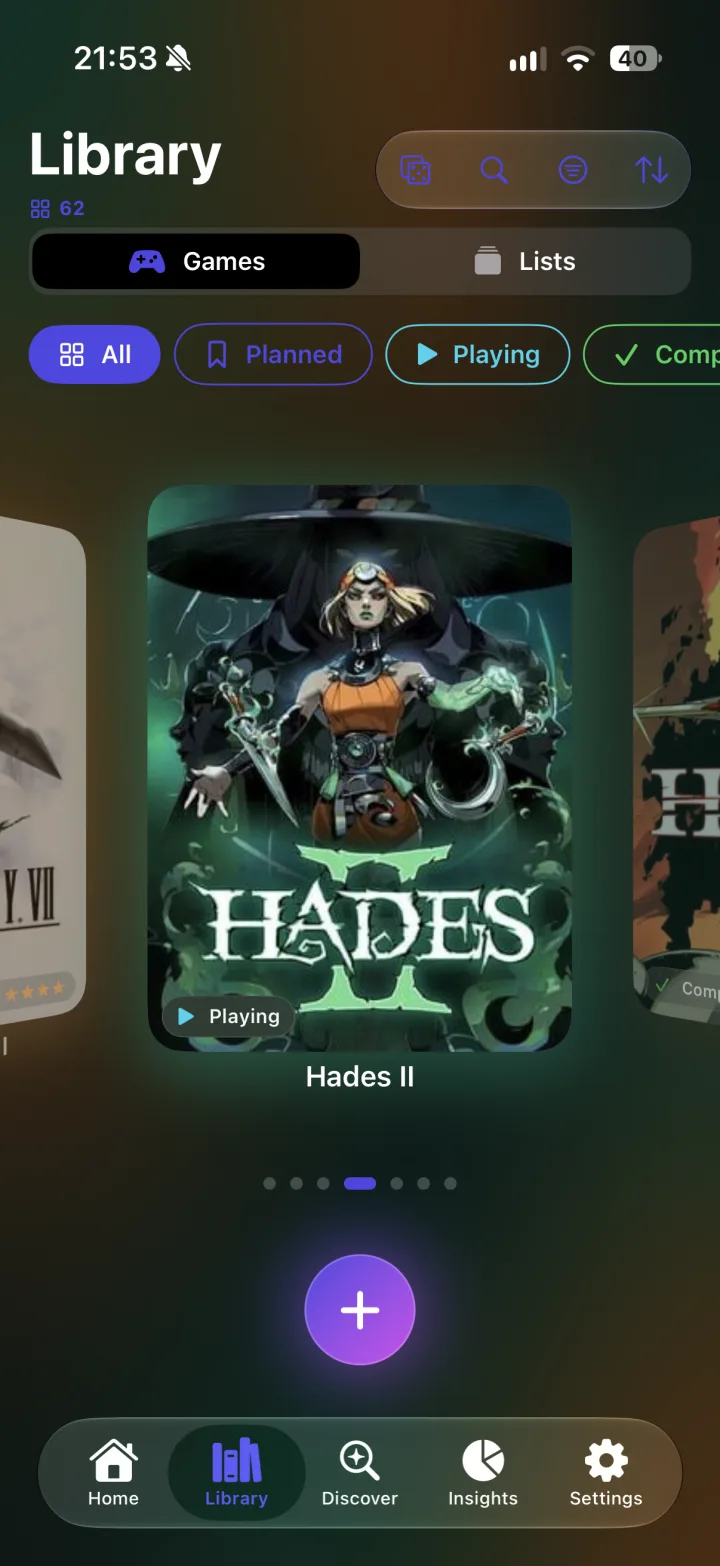
Library — tiles or carousel
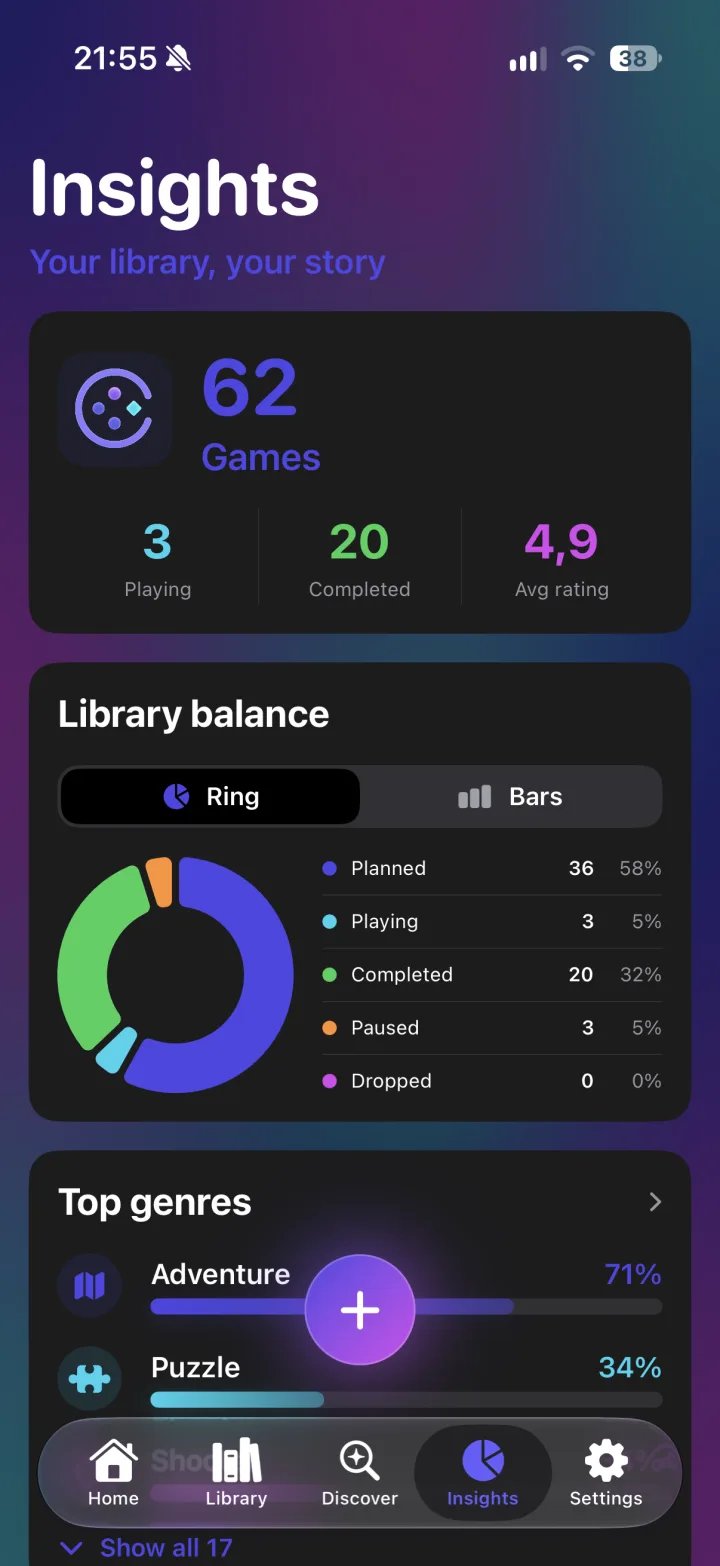
Insights — ring or bars
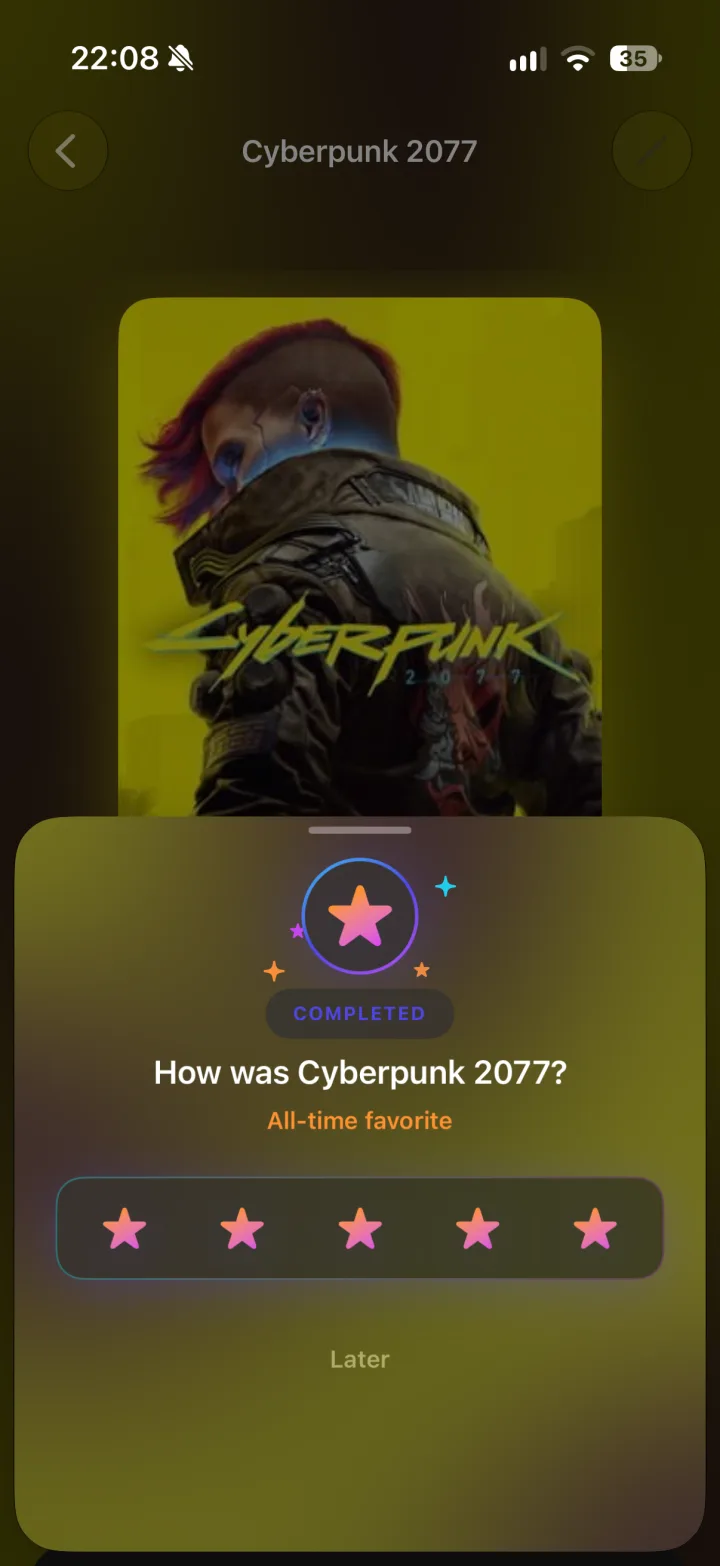
Rate what you finished
In motion
Forty seconds instead of a thousand words.
The version 1.1 teaser — what Games Bucket List feels like in your hand.
Playing the video loads it from YouTube — see the privacy policy.
No account. No tracking. No ads.
A bucket list is a private thing. Games Bucket List has no login, ships without an analytics SDK, and never sells the fact that you still haven't finished that RPG.
Stays on your device
Your games, ratings, notes and lists are stored locally. There is no server of mine holding your library.
Syncs through your iCloud
If you're signed in to iCloud, your library moves between your devices in your own private CloudKit database — the same place your other Apple data lives.
Only the lookup travels
Looking up a title sends the catalog service that title — for a shared link, the platform it came from and the game's ID there. Never your library, your ratings or your notes.
Out now
Out now on the App Store.
Version 1.0 is live for iPhone and iPad. Download it, save the first game you've been meaning to play — and if something's missing or broken, write me one line. I read every message.
Requires a recent iPhone or iPad. iCloud sync is optional. Questions? Support.